[Zabbix] 基礎主機監控設定 - 客製化腳本發信
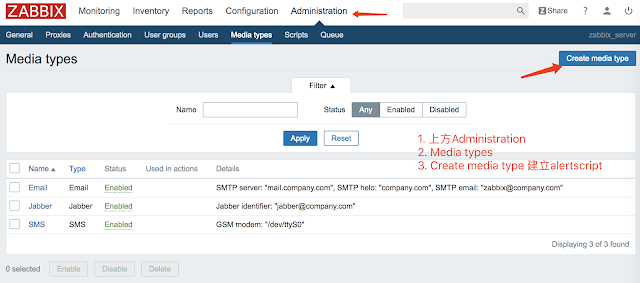
使用 客製化腳本 發信 apt-get install ssmtp mailutils # 備份 cp /etc/ssmtp/ssmtp.conf /etc/ssmtp/ssmtp.conf.default vi /etc/ssmtp/ssmtp.conf ######################################### # # Config file for sSMTP sendmail # # The person who gets all mail for userids < 1000 # Make this empty to disable rewriting. root=neilwang@intentarget.com # The place where the mail goes. The actual machine name is required no # MX records are consulted. Commonly mailhosts are named mail.domain.com mailhub=smtp.gmail.com:587 # Where will the mail seem to come from? #rewriteDomain= # The full hostname hostname=zabbix # Are users allowed to set their own From: address? # YES - Allow the user to specify their own From: address # NO - Use the system generated From: address #FromLineOverride=YES AuthUser=發郵件的帳號 AuthPass=發郵件的密碼 #Gmail可開啟兩階段驗證, 使用應用程式密碼 UseSTARTTLS=YES UseTLS=YES # 輸出除錯資訊 Debug=YES ######################################### vi /usr/lib/zabbix/alertscripts/sendgmail.sh ##############...
